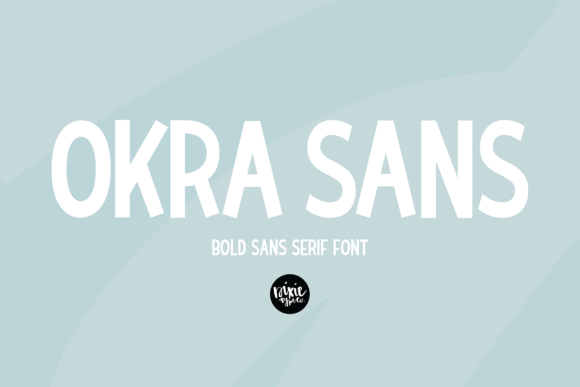
Okra Sans: A Simple and Bold Choice for Modern Typography
Okra Sans is a clean, modern sans serif font that has been gaining popularity among designers, developers, and content creators. With its smooth curves and bold structure, it offers a fresh take on typography that can elevate the visual appeal of websites, logos, and printed materials. Whether you're working on a brand identity, a blog post, or a marketing campaign, Okra Sans brings a unique yet versatile style to your projects.
Why Choose Okra Sans?
Okra Sans stands out due to its simplicity and boldness. It's designed with a balance between readability and aesthetics, making it suitable for both digital and print media. Its neat lines and consistent stroke widths ensure that text remains legible even at smaller sizes, which is crucial for web design and mobile interfaces.
Many professionals are drawn to Okra Sans because it adds a contemporary feel without being overly complex. It works well in minimalist designs and complements a wide range of color schemes and layouts. This makes it an excellent choice for anyone looking to create a modern, professional appearance with minimal effort.
Common Mistakes When Using Okra Sans
While Okra Sans is a great font, there are some common mistakes that users often make when choosing or applying it. These errors can affect the overall look and effectiveness of your design.
Mistake 1: Overusing the Font
One of the most frequent mistakes is using Okra Sans in every part of a design. While it's versatile, overuse can lead to visual fatigue and reduce the impact of the text. It's important to use it strategically, such as for headings or key messages, rather than for entire paragraphs.
Better Approach: Limit Okra Sans to headings, titles, or call-to-action buttons. Pair it with a more traditional font for body text to maintain contrast and improve readability.
Mistake 2: Ignoring Kerning and Spacing
Kerning refers to the spacing between individual letters. Because Okra Sans has a bold and uniform style, improper spacing can cause the text to appear cluttered or unbalanced. Many users overlook this detail, leading to poor typographic results.
Better Approach: Always check the spacing and kerning settings when using Okra Sans. Most design software provides tools to adjust these settings, ensuring that your text looks polished and professional.
Mistake 3: Not Checking Compatibility
Not all platforms support the same fonts. If you're using Okra Sans on a website, it's essential to ensure that it's properly embedded or hosted so that it displays correctly across different devices and browsers. Failing to do so can result in unexpected fallback fonts that ruin the intended design.
Better Approach: Use web-safe hosting services or Google Fonts to ensure that Okra Sans loads correctly on all devices. Always test your design on multiple platforms to confirm compatibility.
What to Check Before Using Okra Sans
Before deciding to use Okra Sans, there are several factors to consider. These checks will help you avoid potential issues and ensure that the font aligns with your project goals.
1. Purpose of the Design: Consider the context in which you'll be using Okra Sans. Is it for a logo, a website, or a brochure? Each use case may require different font weights or styles.
2. Audience: Think about who will be viewing your content. For example, if your audience includes older readers, you might want to pair Okra Sans with a more readable font for body text.
3. Brand Identity: Ensure that Okra Sans matches your brand’s personality. A bold and modern font like Okra Sans may not be suitable for a traditional or conservative brand image.
4. Licensing and Usage Rights: Make sure you understand the licensing terms for Okra Sans. Some fonts have restrictions on commercial use or require attribution.
Real-World Examples and Better Approaches
Let’s look at a few real-world scenarios where Okra Sans could be used effectively, along with tips on how to avoid common pitfalls.
Example 1: Website Header
If you're designing a website header, Okra Sans can add a strong, modern touch. However, if the header contains too many elements or uses small text, it may become overwhelming.
Better Approach: Use Okra Sans for the main heading only. Keep the rest of the header simple and use a complementary font for subheadings or navigation menus.
Example 2: Logo Design
Okra Sans can be an excellent choice for a logo, especially if you're aiming for a clean and contemporary look. However, using it in a logo without considering scalability can lead to issues when the logo is viewed at different sizes.
Better Approach: Test your logo at various sizes to ensure that Okra Sans remains clear and legible. Avoid using thin or decorative variations unless they are specifically designed for logos.
Example 3: Print Materials
When using Okra Sans in print, it's important to choose the right weight and size. Using a light version of the font on a low-quality print job can result in poor readability.
Better Approach: Opt for a heavier weight of Okra Sans for print materials. Always proofread and test prints before finalizing any design.
Final Thoughts
Okra Sans is a powerful tool for anyone looking to enhance their typography with a modern and bold aesthetic. By understanding its strengths and avoiding common mistakes, you can ensure that your designs look professional and effective.
Whether you're a beginner or an experienced designer, taking the time to evaluate your choices and apply best practices will help you achieve better results. Remember, the goal is to communicate clearly and effectively—Okra Sans can be a valuable asset in helping you reach that goal.